


It is now increasingly common to want to regain control over one’s infrastructure and deployments. In this context, tools like Coolify greatly simplify the management of applications, servers, and containers.
Among the most interesting features is the ability to host your own Docker image registry thanks to an integrated Docker Registry. This allows you to store, version, and deploy your images independently, without relying on external services like Docker Hub.
Why use a private Docker Registry?
A private Docker registry offers several advantages:
- Greater control over your images
- Enhanced security (restricted access)
- Independence from third-party services
- Optimized internal deployments
- Reduced costs related to external services
With Coolify, this approach becomes accessible even without advanced infrastructure expertise.
Creating a Docker Registry with Coolify
Setting up a registry with Coolify is extremely simple.
Configuration steps
- Go to your Coolify dashboard
- Select an existing project or create a new one
- Click on Add a resource
- Choose Docker Registry

Coolify already provides a ready-to-use configuration, allowing you to deploy a registry in just a few clicks.
Once created, the service is automatically configured and accessible via a secure URL. If you want your own domain, you can change the default URL.
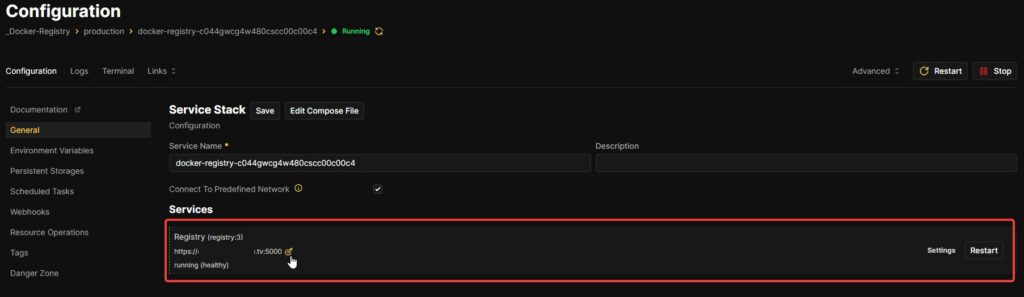
Registry configuration
During creation, you can define:
- The registry name
- Access credentials (username / password)
- Network exposure (internal or external)
To modify the login and password, simply change them in the following section: Environment Variables