

Last updated on
If you play The Elder Scrolls Online, you probably already know that addons can transform your gaming experience. Whether it’s improving the interface, making crafting easier, optimizing your DPS, or tracking resources, addons have become essential.
But how do you install them easily without getting lost in the game files? The simplest and fastest solution is called Minion.
What is Minion?
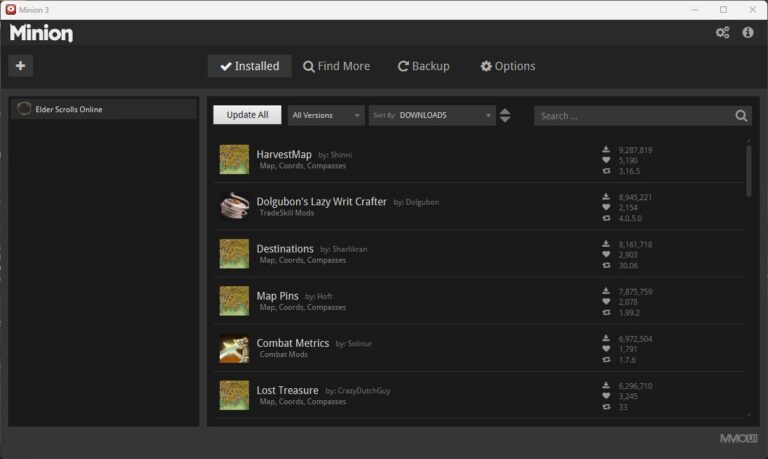
Minion is a free and official addon manager for The Elder Scrolls Online. It simplifies every step of installing and updating addons. No need to manually download files and place them in complicated folders: Minion takes care of everything.
Advantages of Minion:
- One-click installation for hundreds of addons
- Automatic updates for already installed addons
- Centralized management of all your addons for all your characters
- Clear and easy-to-use interface, even for beginners
- Compatible with Windows and Mac
Install Minion
- Download Minion from the official website: https://minion.gg
- Install the program on your computer by following the on-screen instructions.
- Open Minion and connect it to The Elder Scrolls Online (the game must be installed on your computer).
And that’s it! You’re ready to explore the available addons.
Please note: most addons have “dependencies” and will only work if you install the required libraries. The libraries to install are listed in the addon descriptions or appear in red in-game when you enable the extensions.
If you are looking for addons, here is The essential addons for The Elder Scrolls Online (2026)